
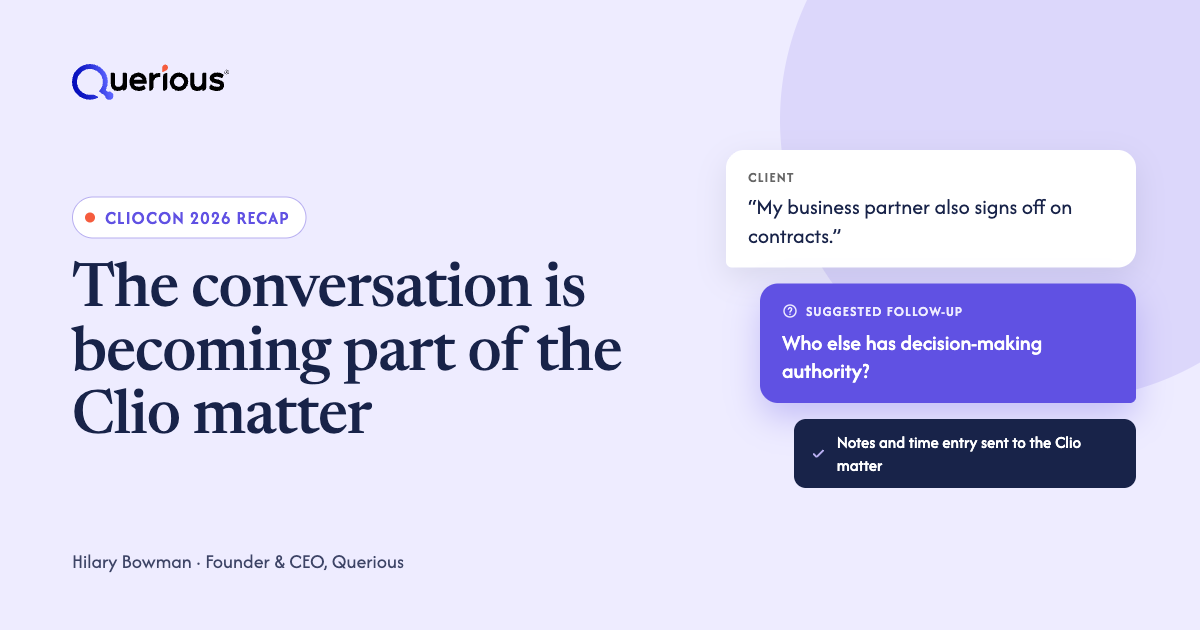
ClioCon 2026 highlighted a shift toward legal AI that connects client conversations with matter records, workflows, and billing. For attorneys, the opportunity is to capture what clients say and use that context throughout a matter. At Querious, we see an equally important opportunity: helping attorneys ask better questions while the conversation is still happening.
The practice management platform is becoming a place where more legal work happens. That makes the quality of the information entering it especially important. A well-organized matter cannot recover a fact that was never uncovered or a question that was never asked.
Award recognition: Querious won the Best Practice of Law App award in the 2026 Clio Integration Awards. Clio recognized Querious for suggesting follow-up questions and flagging legal issues during client conversations, then saving notes and a time entry to the Clio matter. Read Clio's announcement of the 2026 Clio Integration Award winners and our announcement of the award.
What Clio announced at ClioCon 2026
Clio's announcements included a connected experience across its products, plain-language workflows, Clio Phones, drafting, and AI-assisted timekeeping. These capabilities have different release stages and availability conditions. The following is a selected summary, rather than a complete product roadmap.
Availability reflects Clio's conference coverage and October 26 announcement, reviewed November 11, 2026. Confirm eligibility and rollout before making a purchase decision.
Sources: ClioCon 2026 highlights · Clio product announcement and beta details
Why client conversations matter for legal AI
Client conversations contain facts, instructions, concerns, and commitments that shape a matter. When those details reach the matter record accurately, attorneys have better context for the work that follows. When they remain in memory or scattered notes, later research and drafting can start from an incomplete picture.
Consider a client who mentions a second business owner during an intake meeting. That detail may prompt questions about decision-making authority or other parties who need to be involved. Recording the statement preserves it. Asking the right follow-up question can reveal why it matters.
This is our interpretation of the broader shift: as more work becomes automated, the quality of the original conversation becomes more consequential. Faster downstream work does little to help if the underlying facts are incomplete.
How real-time legal assistance differs from a call summary
A call summary organizes what was said. Real-time legal assistance can suggest questions and flag potential issues while the attorney can still explore them with the client. Both serve a purpose, but they support different moments in the workflow.
Querious provides Legal Conversational Intelligence™ for attorneys. During a conversation, it surfaces potential legal issues and suggested follow-up questions. Afterward, it prepares notes and draft billing entries that attorneys can review and send to the associated Clio matter.
That distinction matters in practice. A summary may accurately record an ambiguous statement without resolving it. A timely prompt gives the attorney an opportunity to ask for clarification before the meeting ends. The attorney decides which prompts are relevant and how to respond.
See how Querious works with Clio →
What is legal conversational intelligence?
Legal conversational intelligence is AI technology that helps attorneys understand and act on information during client conversations, not just summarize them afterward. Unlike a traditional AI notetaker, it can surface relevant legal issues and suggest follow-up questions while the client is still present. Querious provides Legal Conversational Intelligence™, combining real-time assistance with matter context, structured notes, and draft billing entries that attorneys review and save to their practice management system.
Where Querious fits alongside Clio Phones
Clio Phones brings business calling and call documentation into Clio. Querious focuses on legal conversation support, including issue spotting and suggested questions during meetings, followed by reviewed notes and billing entries sent to Clio.
Querious supports conversations across Zoom, Microsoft Teams, Google Meet, phone calls, and in-person meetings. That gives firms a way to use legal conversation assistance across the different settings in which clients meet with them.
The connection described here is Querious's integration with Clio. Firms evaluating either product should confirm the supported setup for their specific calling and meeting workflows.
Explore Querious in the Clio App Directory →
How Querious connects client conversations to Clio
The Querious Clio integration moves context in both directions. Notes from each client conversation flow into the Clio matter, and what is saved there informs the next conversation.
- Before the meeting: Querious draws on notes saved to the Clio matter from earlier conversations to help the attorney prepare and pick up where the matter left off. That prior context also informs the assistance Querious provides during the next conversation.
- During the conversation: Querious surfaces potential legal issues and suggested follow-up questions while the client is still present.
- After the conversation: Querious drafts structured notes, key issues, next steps, and a time entry with a billing narrative.
- Attorney review: The attorney reviews the drafts and confirms the associated matter before anything is saved to Clio.
- The next conversation: Reviewed notes saved to the matter become context for the following meeting, so each conversation builds on the last.
That two-way flow is what separates the integration from a notetaker that simply exports meeting notes. The matter record both informs and benefits from each client conversation. Learn how the Querious Clio integration works.
How law firms can prepare for connected legal AI
Start with one client conversation workflow and follow it through to the matter record. Look for the points where information gets lost, duplicated, or reconstructed after the fact.
- Choose a repeatable use case, such as initial consultations or recurring client updates.
- Decide which facts, decisions, and next steps need to reach the matter record.
- Assign review of AI-generated notes, issue prompts, and billing entries before they are relied on or sent onward.
- Measure the time spent preparing notes and the amount of correction or follow-up each conversation requires.
Capturing a conversation does not make every minute billable. Draft time entries still need review against the work performed and the client's billing arrangement. The practical goal is a more accurate record with less reconstruction afterward.
Frequently asked questions
